
RAG in Practice: Building Reliable LLM Apps with Retrieval-Augmented Generation
Large Language Models are impressive—until the moment you depend on them for something that must be correct, must be traceable, or must reflect your private, internal documentation.
If you’ve ever shipped an LLM feature to real users, you’ve probably seen the same pattern:
- The model answers confidently… but incorrectly.
- It mixes two versions of a policy.
- It “fills gaps” with plausible-sounding details.
- It can’t keep up with documents that change every week.
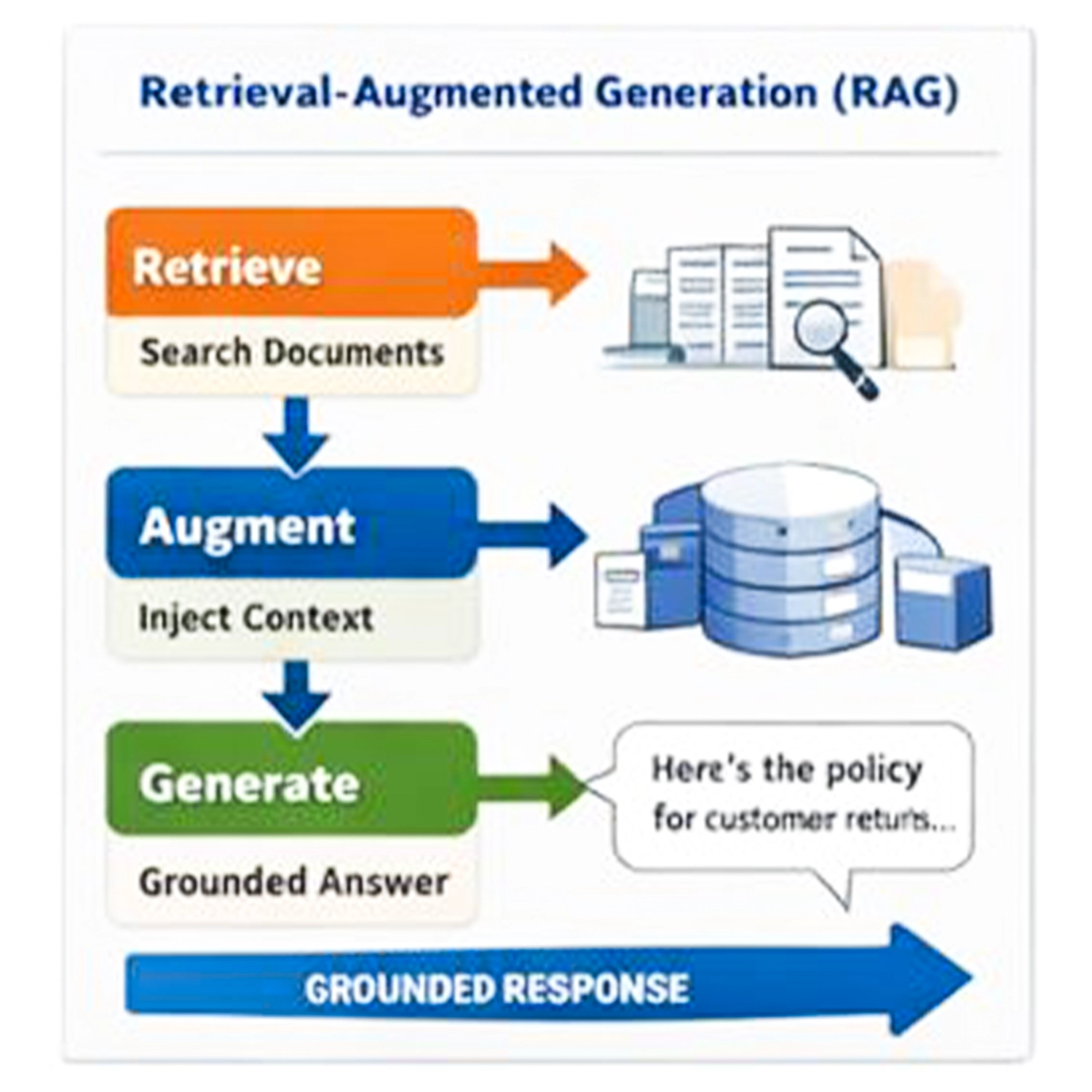
That’s why Retrieval-Augmented Generation (RAG) became the default architecture for many production LLM apps. RAG is not “better prompting.” It’s a search + context assembly + grounded generation pipeline.
What RAG Actually Means (Without the Buzzwords)
RAG is a simple idea implemented as a system:
- The user asks a question.
- Your app retrieves the most relevant evidence from your own data.
- The model answers using that evidence.
The outcome is not just a nicer answer. The outcome is control:
- You can point to where a claim came from.
- You can refresh knowledge instantly by updating your documents.
- You can limit the model to a curated set of sources.
The minimal RAG loop
| Step | Input | Output | Why it exists |
|---|---|---|---|
| 1. Query | User question | Search query | Normalize intent and terminology |
| 2. Retrieve | Query + index | Top-K chunks | Find relevant evidence |
| 3. Assemble | Retrieved chunks | Context pack | Fit context window efficiently |
| 4. Generate | Question + context | Answer | Produce grounded response |
| 5. Cite (optional) | Retrieved IDs | References | Make answers auditable |
Example:
- Question: “What’s our enterprise return policy?”
- Retrieve:
returns-policy.md+ contract exceptions - Generate: answer that quotes or paraphrases only what’s present
- Cite: section anchors / snippet IDs
Why RAG Beats Plain Prompting
Plain prompting is fine for brainstorming or general knowledge. It becomes risky when you need correctness and reproducibility.
Typical pain points without RAG
| Problem | What it looks like in production | Consequence |
|---|---|---|
| Hallucinations | Confident wrong answers | Users lose trust quickly |
| Stale knowledge | Outdated facts after training cutoff | Incorrect decisions |
| Doc overload | Policies too long for context | The model “guesses” |
| Policy drift | Rules change weekly | Answers become inconsistent |
| Traceability gap | No sources or citations | Hard to validate or debug |
RAG solves these by retrieving fresh, local, relevant information at runtime.
But it’s important to be honest: RAG doesn’t magically make an LLM reliable. It moves reliability into an engineering problem you can measure and improve.
A Production RAG System (What You Actually Build)
Think of a production RAG stack as two parts:
- A knowledge pipeline (ingest → transform → index)
- A query pipeline (retrieve → assemble → generate → evaluate)
1) Document ingestion
Your sources might include:
- Markdown repositories
- PDFs and manuals
- Notion / Confluence
- Support tickets and internal Q&A
- Product catalogs
- Database records
In production, ingestion is where most failures start.
Common ingestion mistakes:
- You index everything, including outdated drafts.
- You don’t preserve document structure (headings, sections, tables).
- You lose metadata (language, product line, revision date, owner).
A simple ingestion checklist:
| Item | Why it matters |
|---|---|
| Versioning | RAG retrieval is only as good as the latest truth |
| Ownership | Someone must be accountable for correctness |
| Metadata | Enables filtering (language, product, region) |
| Section structure | Better chunking and better citations |
2) Chunking (the make-or-break step)
Chunking is not a minor detail. It shapes retrieval quality.
If chunks are too large:
- retrieval becomes noisy
- you waste context window
If chunks are too small:
- you lose meaning and dependencies
- answers become shallow
A practical starting point:
| Setting | Starting range | Notes |
|---|---|---|
| Chunk size | 300–800 tokens | Prefer semantic boundaries |
| Overlap | 10–20% | Helps continuity across sections |
| Strategy | By headings/sections | Best for policies and docs |
If your documents are highly structured (policies, manuals), chunk by headings. If they are conversational (tickets, chats), chunk by turns or topic shifts.
3) Embeddings and the vector database
Each chunk becomes a vector embedding. Then you do similarity search.
Options you’ll see often:
- Vector DBs: Pinecone, Weaviate, Qdrant, Milvus
- Or Postgres with pgvector if you want fewer moving parts
In many real systems, pure vector search is not enough. Hybrid search often performs better.
4) Retrieval strategy (the part people underestimate)
A basic Top-K vector search works for demos. Production usually needs more.
Here’s a practical upgrade path:
| Level | Technique | When it helps |
|---|---|---|
| 0 | Top-K vector search | Baseline |
| 1 | Hybrid (BM25 + vector) | Jargon, exact keywords, part numbers |
| 2 | Metadata filtering | Language, region, product line |
| 3 | Reranking | Improves relevance precision |
| 4 | Multi-query | Ambiguous queries, varied phrasing |
| 5 | Query rewriting | Normalize synonyms and internal naming |
If you’re building something user-facing, reranking is usually one of the highest ROI improvements.
5) Context assembly (packing the window like an engineer)
Once you retrieve chunks, you still have to decide what the model sees.
Good context packers typically:
- remove duplicates
- prefer newer revisions
- sort by relevance, then by document order
- include short metadata headers (title, section, date)
- optionally compress long chunks
A simple context pack format:
| Field | Example |
|---|---|
| Doc | “Returns Policy” |
| Section | “Enterprise exceptions” |
| Date | 2026-01-01 |
| Snippet | Relevant excerpt text |
This makes both generation and debugging easier.
6) Grounded generation prompt (guardrails, not marketing)
A strong RAG prompt has three rules:
- Use the supplied context as the only source of truth.
- If context is insufficient, say so.
- Provide references (IDs, titles, or links).
A realistic example:
- “Answer only using the provided context. If a detail isn’t present, don’t invent it.”
- “If you’re unsure, ask one clarification question.”
- “After the answer, list the sources you used.”
This sounds basic, but it can dramatically reduce hallucinations when paired with good retrieval.
Common RAG Failure Modes (And How to Fix Them)
These are the ones you’ll actually hit.
1) Retrieval returns irrelevant chunks
Symptoms: the answer feels off-topic even though the system “works.”
Root causes:
- poor chunking boundaries
- embeddings mismatch for your domain
- missing metadata filtering
Fixes that usually work:
| Fix | Impact |
|---|---|
| Hybrid retrieval | Better recall for keyword-heavy queries |
| Reranker | Better precision |
| Better chunk boundaries | Reduces noise |
| Add metadata + filter | Prevents cross-domain mixing |
2) Retrieval is correct but the model still hallucinates
Symptoms: it adds details not found in evidence.
Fixes:
- lower temperature
- enforce “no answer without evidence” rule
- require citations
- add a post-checker that flags unsupported claims
3) Context window is wasted
Symptoms: too many chunks, repeated boilerplate, missing the key paragraph.
Fixes:
- reduce Top-K and rely on reranking
- strip boilerplate during ingestion
- compress retrieved context
4) Multi-lingual mismatch
Symptoms: an English query finds Persian docs poorly (or vice versa).
Fixes:
- language-aware embeddings
- store language metadata and filter first
- translate queries or documents consistently
How to Evaluate RAG Without Guessing
A real RAG system should be measurable. If you only “try questions and vibe-check answers,” you will ship regressions.
Metrics worth tracking
| Metric | What it tells you |
|---|---|
| Retrieval hit rate | Did you fetch the right evidence |
| Precision@K | How many retrieved chunks are truly relevant |
| Faithfulness | Is the answer supported by retrieved text |
| Completeness | Does it cover all required points |
| Latency | Retrieval + generation time |
| Cost | Tokens per request, reranker overhead |
A practical evaluation workflow
- Collect 50–200 real questions (support logs help a lot).
- For each question, define “gold” sources (the correct chunks).
- Run retrieval and verify gold appears in the top results.
- Score generation on faithfulness and completeness.
Image gallery
Click any image to open a full-screen preview.